



Integrate BambooHR with Kept
BambooHR Integration
You can integrate with Kept from a BambooHR account by following the instructions below.
Part 1: Create a custom access level
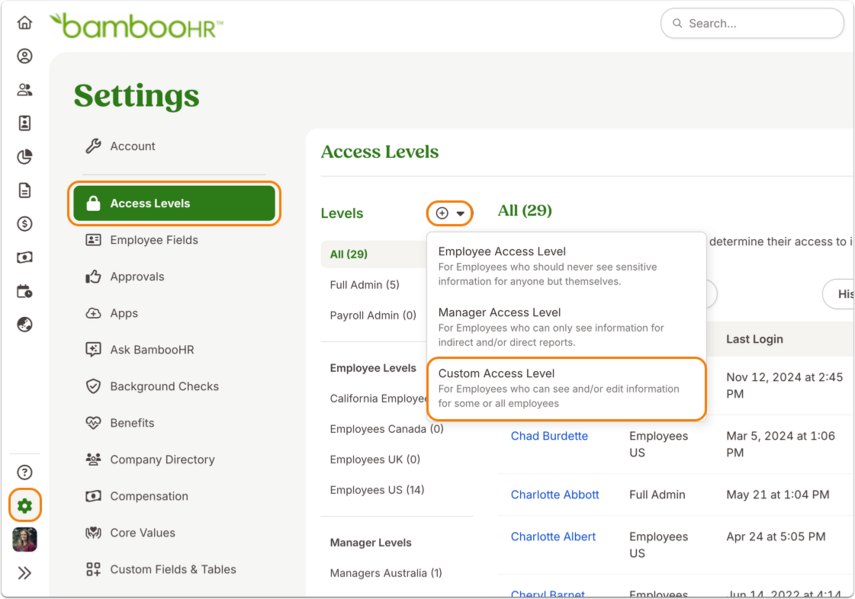
1. In Settings > Access Levels, click on the + icon next to “Levels” and then select Custom Access Level.
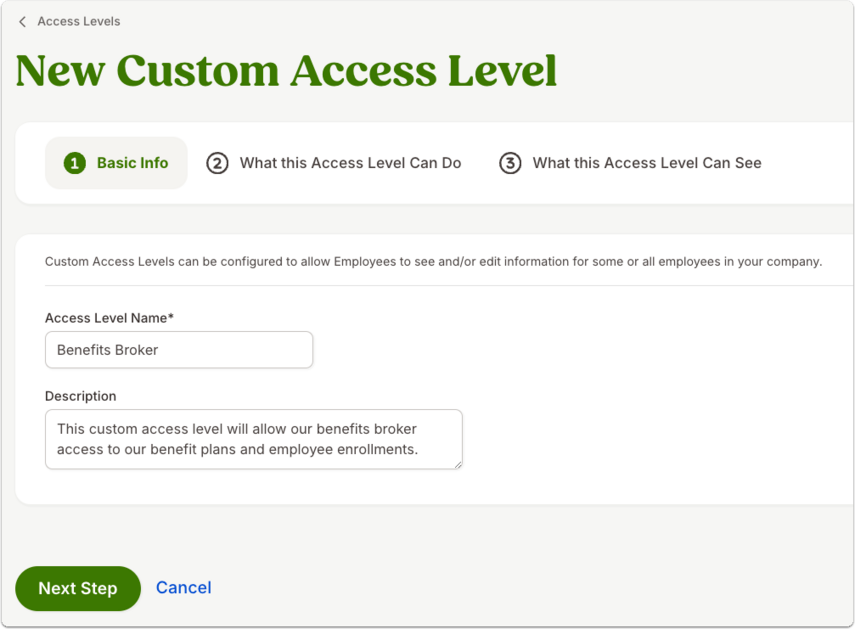
2. In Basic Info, enter “Kept COBRA”.
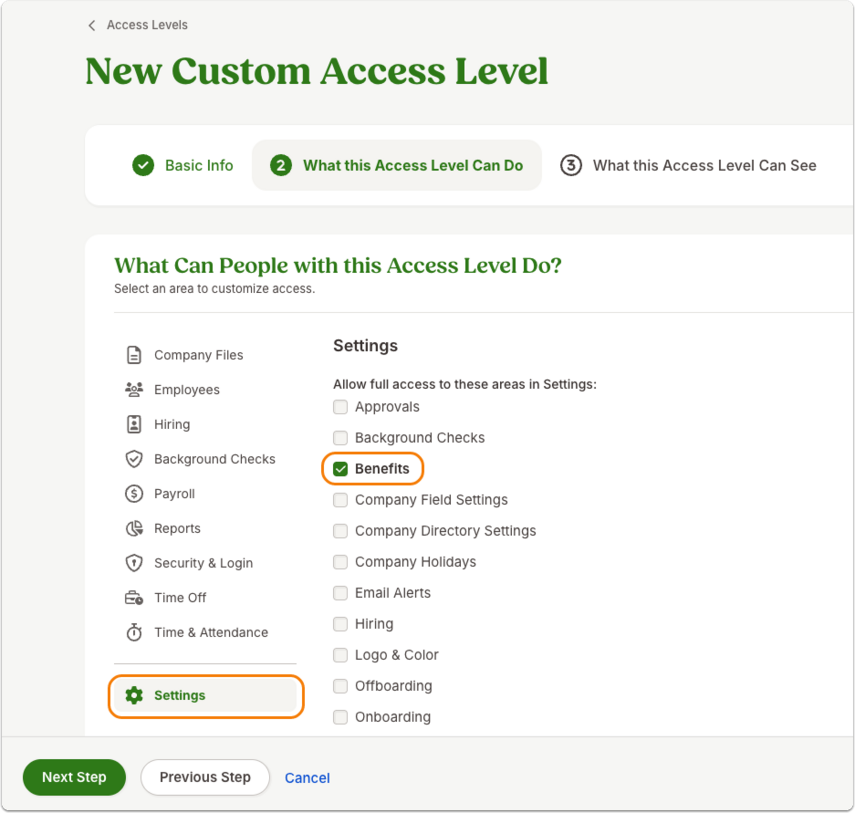
3. On the next page, What this Access Level Can Do, click Settings, and then select the checkbox next to “Benefits.”
In the same step, click Reports and mark the boxes next to "Benefits Administration Reports" and "Create New Reports." Click Next Step to continue.

4. In What this Access Level Can See, go to the “See About other Employees section”.
On each tab, we need all fields set to “View Only” access to the following sections:
- Personal
- Job
- Benefits
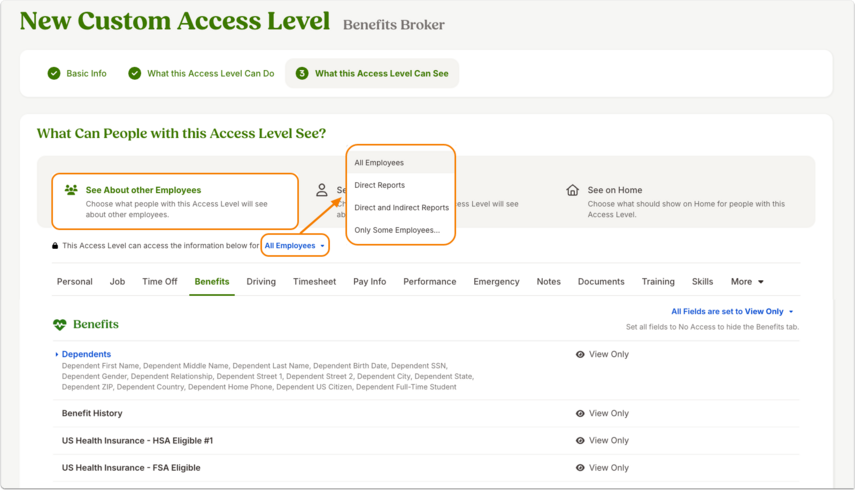
Since Kept will be a non-employee user, we don't need an employee profile. You can click No on the "See About Themselves" tab.
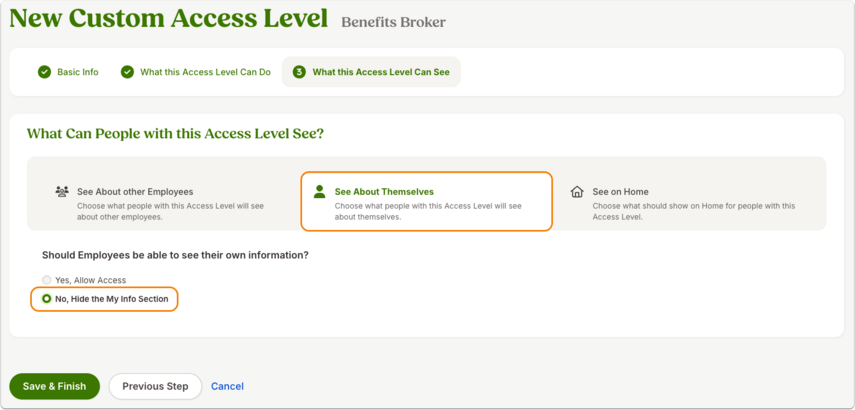
The widgets on the “See on Home” tab are optional. Click Save & Finish.

Part 2: Add Kept as a user
1. Navigate to the new custom access level you have created. Click on the gear icon and then select Add a New Non-Employee User from the dropdown menu.

In the fields, fill out:
- First Name: Kept
- Last Name: Inc
- Email: cobra+[companyname]@kept.io
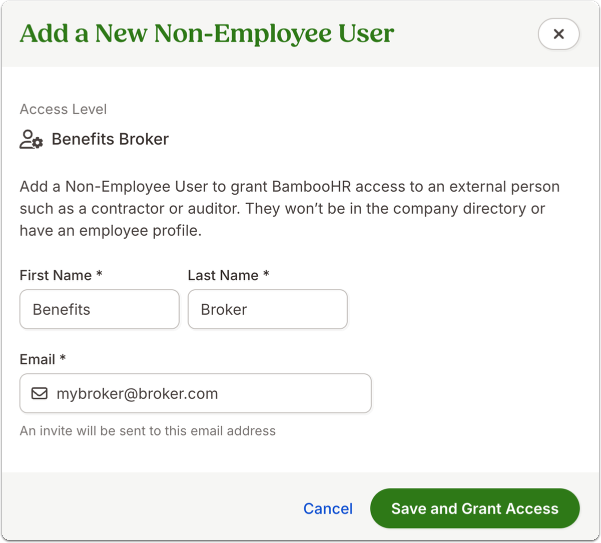
2. Click Save and Grant Access. We’ll receive an email invitation to log in.
From there, we’ll continue with the implementation process and reach out if we need anything additional. We look forward to partnering with you!
Still need help?
If we were unable to answer your question please get in touch with us so we can support you further.
Related articles


Want to join our early adopter program?
We are actively adding other integration partners to our platform. Learn how to request an additional integration or be the first to find out about the status of an integration.
