


Kept account authentication
Securing Your Account with Two-Factor Authentication (2FA)
To keep your Kept account secure, you may be prompted to provide an authentication code during login. We recommend using an authenticator app, such as Google Authenticator, which is available for download on the App Store and Google Play.
If the email for your Kept account is through Google, you can verify yourself by clicking "Continue with Google" instead.
The first login
How to set it up:
- Download your preferred authenticator app.
- Scan the QR code displayed on the Kept login screen.
- Enter the 6-digit code generated by the app into the Kept login field.
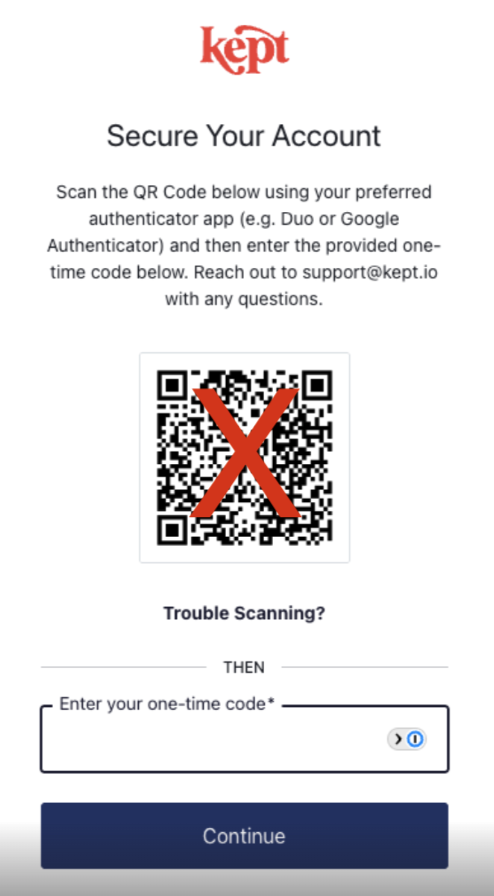
This initial login will link your email address to your Kept account with 2FA. You'll need to use the authentication app to login when prompted moving forward.
Other logins / no QR code
On your subsequent logins, there may not be the QR code present, just a space for the one-time code:
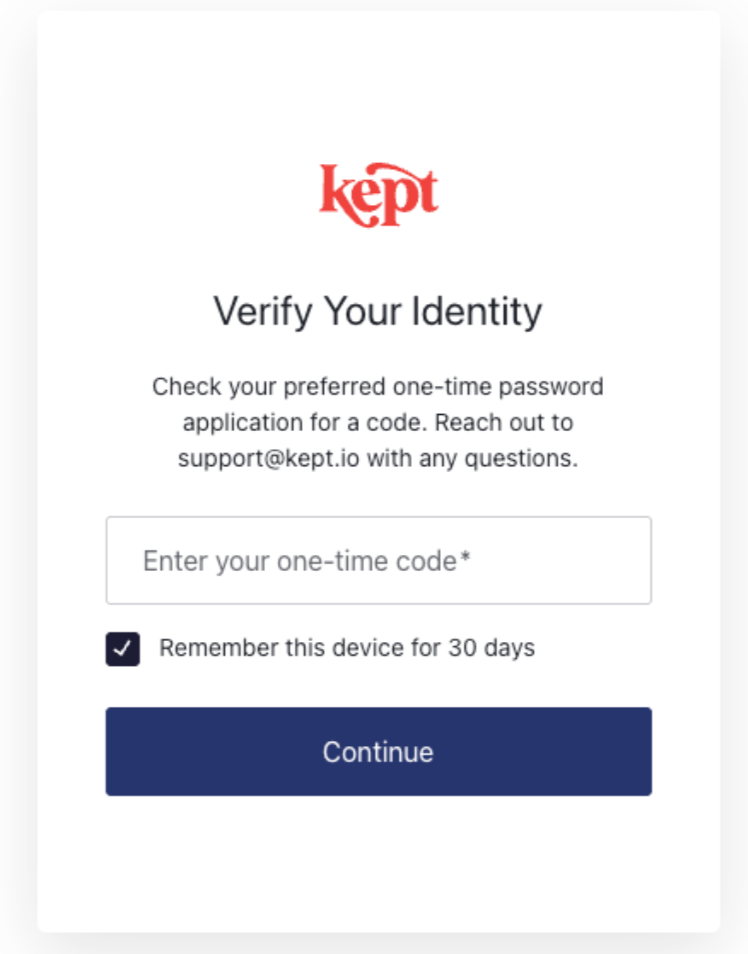
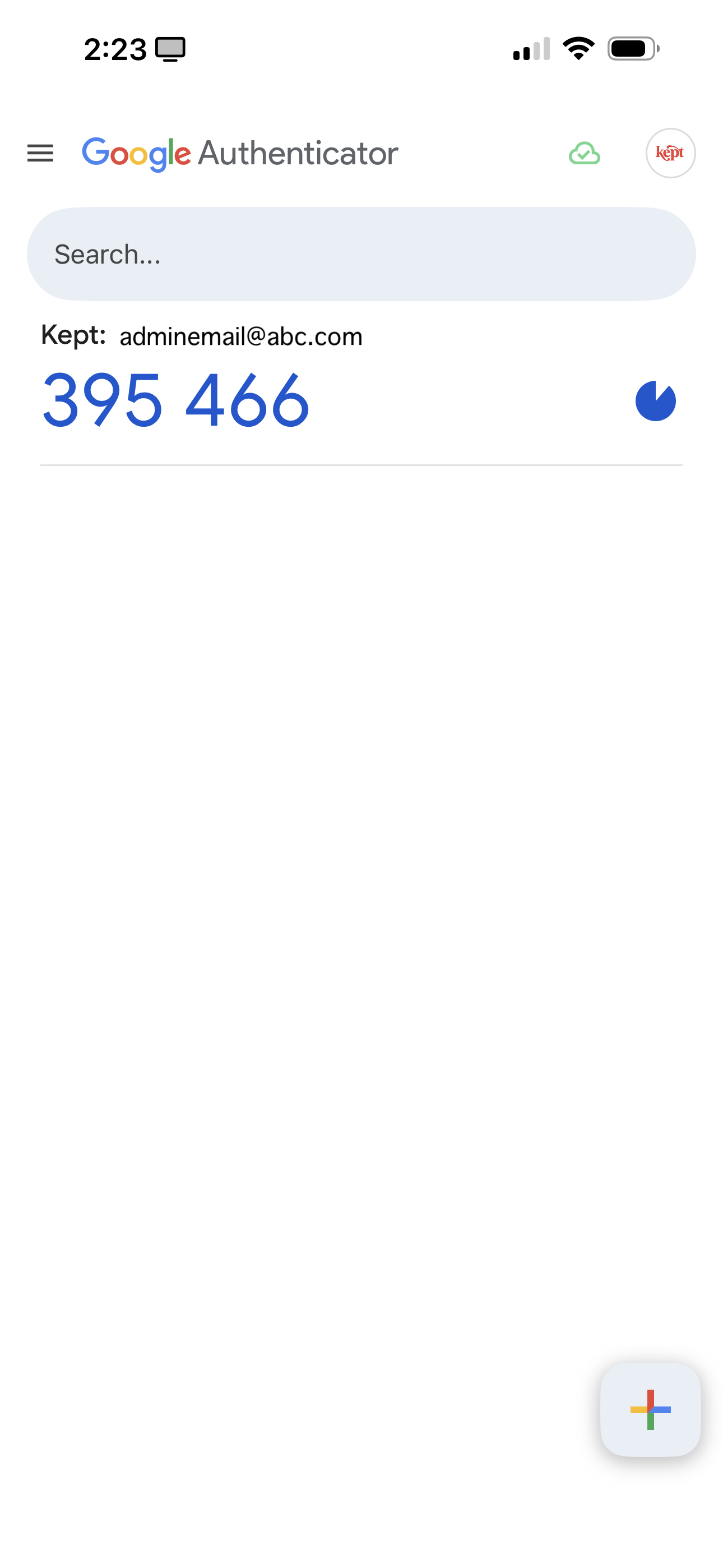
To retrieve this code, go to your authentication app:
- Go to the item that says "Kept" with your associated email address
- Enter the number into the Kept login flow
Pro Tip: To streamline your workflow, check the box labeled "Remember this device for 30 days" during login. This allows you to skip the code requirement on your current device for the next month.
That's it! You should be all set, and these steps ensure your data is secured at the highest level.
Still need help?
If we were unable to answer your question please get in touch with us so we can support you further.


Want to join our early adopter program?
We are actively adding other integration partners to our platform. Learn how to request an additional integration or be the first to find out about the status of an integration.
